2026-06-15
Task Bar Hero Chest and Mailbox Troubleshooting Guide
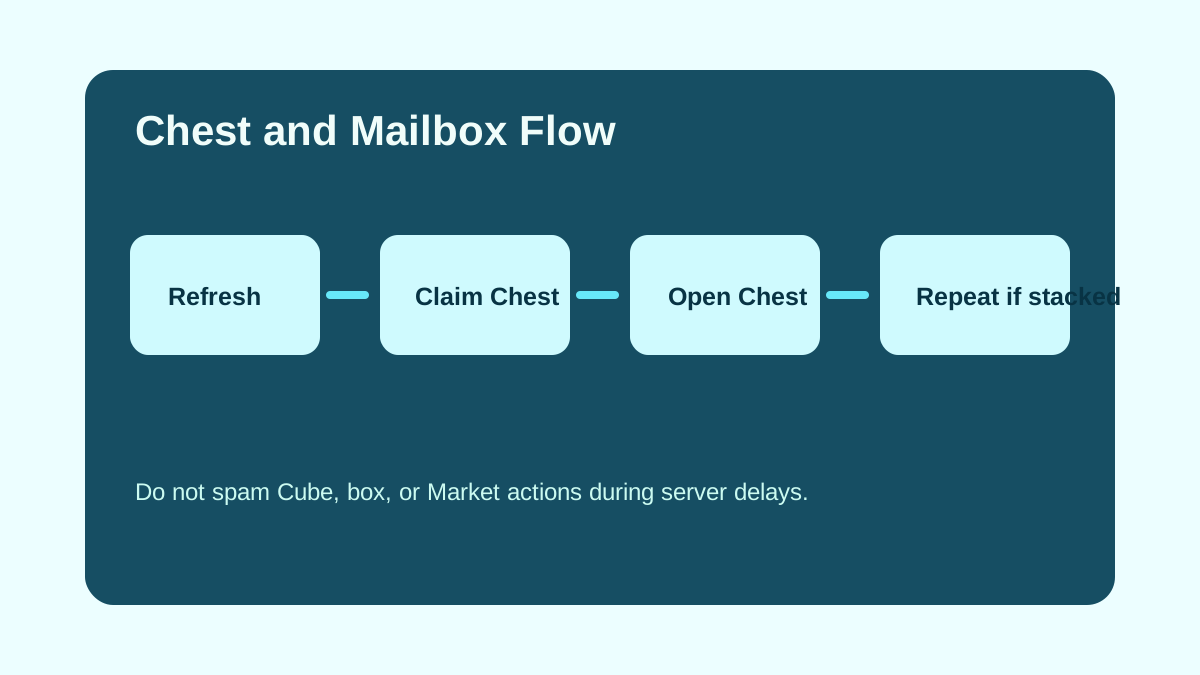
Chest problems can be a display delay, a Mailbox delivery, or a failed server action. The July 30 recovery hotfix changed the current answer: recovered results from Act Boss Chest rewards and several Cube operations now display after a restart, and a separate bug that prevented some treasure chests from opening was fixed.
The development team also completed restoration for the full item-loss incident caused by the July 25 outage. Restored items and compensation were sent to the in-game Mailbox. Update the client and log in again before assuming a reward is still missing.
Quick Flow
| Step | What To Do |
|---|---|
| 1 | Update the client and restart once so recovered results can display. |
| 2 | Read the restoration popup, then open Mailbox and use Refresh once. |
| 3 | Use Claim Chest if delayed chests appear, then wait for the result. |
| 4 | Open Chest only after the claimed rewards and quantities display. |
| 5 | Wait at least 1 minute before repeating a mail claim request. |
| 6 | Stop repeated actions if the server is slow or an error returns. |
July 30 Recovery and Hotfix
| Official change | What it means |
|---|---|
| Recovered Act Boss Chest rewards now display correctly | Restart and check the recovery result before repeating the boss or claim action. |
| Restored items and compensation were delivered to Mailbox | Check the popup, Reward mail, and item quantities after updating. |
| Duplicate reward items display in one slot with a quantity | A smaller number of visible slots does not automatically mean rewards are missing. |
| Some treasure chests not opening was fixed | Re-test once on the current client before using an older workaround. |
| Mailbox and Shop overlap was fixed | Close both interfaces and update if the overlap still appears. |
When A Chest Does Not Show
Do not immediately change your farming route or assume the drop vanished. First restart once, check the restoration popup, inspect Mailbox quantities, and verify the current client. Display timing can lag behind farming progress.
If the chest still does not appear after a careful refresh cycle, wait for current server status before repeating actions quickly.
What Not To Spam
| Action | Why To Slow Down |
|---|---|
| Refresh | Repeated calls during server delay can create confusing timing. |
| Claim Chest | If stacked rewards are still processing, wait between attempts. |
| Open Chest | Opening immediately after one chest appears may miss the full stacked amount. |
| Cube operation | Item response waits were increased during server issues. |
| Market listing | Market status can change separately from chest status. |
Earlier v1.00.24 and v1.00.25 Chest Checks
| Update | What Changed | Player-Friendly Check |
|---|---|---|
| v1.00.24 | Common and Stage Treasure Chest minimum acquisition cooldown was slightly reduced. | Re-test stable farming routes before assuming an old chest route is still optimal. |
| v1.00.25 | Repeated mail claim requests now have a 1-minute wait to reduce mail server load. | Claim once, wait, then check again instead of clicking repeatedly. |
If a chest route feels better after v1.00.24, confirm it with the same party and stage instead of mixing route changes, build changes, and mailbox claims in one test.
Safe Farming Response
If chest display looks wrong, step back to a stable stage and keep notes instead of overcorrecting. A safe stage that clears reliably is still useful while server systems stabilize.
Track these details:
| Detail | Why It Helps |
|---|---|
| Stage farmed | Confirms the route you tested. |
| Time window | Helps separate server delay from normal variance. |
| Mailbox count | Shows whether rewards are stacked. |
| Client version | Matters after v1.00.12. |
| Actions repeated | Helps avoid accidental spam. |
Related Pages
Use the missing items recovery guide, latest recovery hotfix, Drops tracker, Stage Boxes page, and farming stages guide.
Next reads
Continue with the beginner route, update notes, or the full guide archive when you want a different angle.